
Please note, while the following shows specifically the Support Staff evaluation, the overall steps are the same regardless of job type. If you attempt to follow these steps and cannot see the form you need, please reach out to technology staff. We must manually add these options for you. Thank you!
From the Home Screen -
My Staff > Staff > Evaluation Tab
Search for the user that you wish to add a form to.
Click "View" next to their name, it should open their task view.
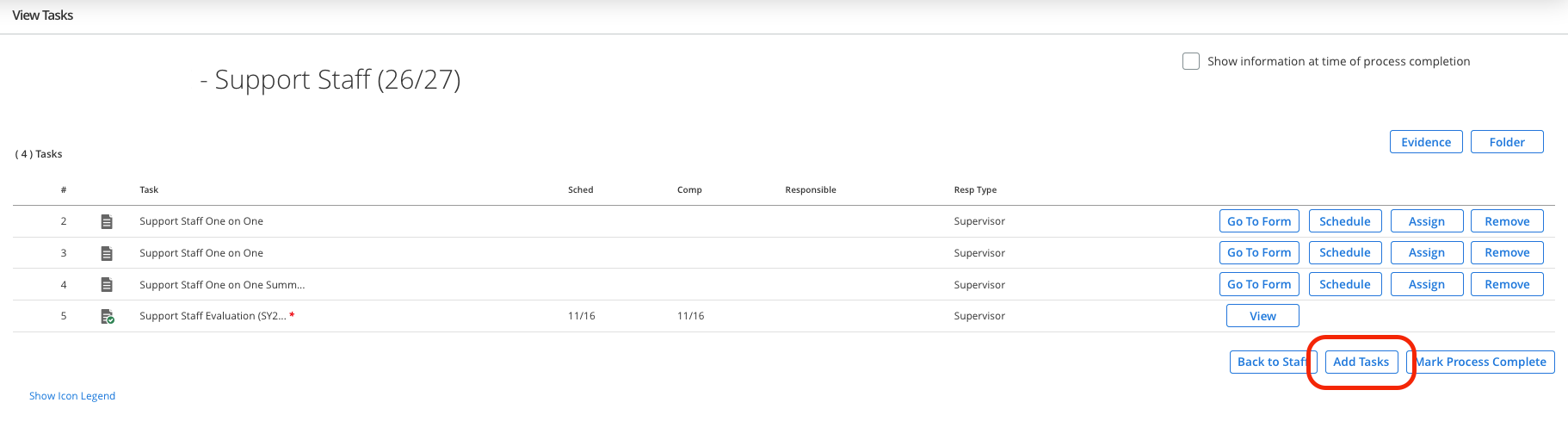
On this page click the "Add Tasks" button
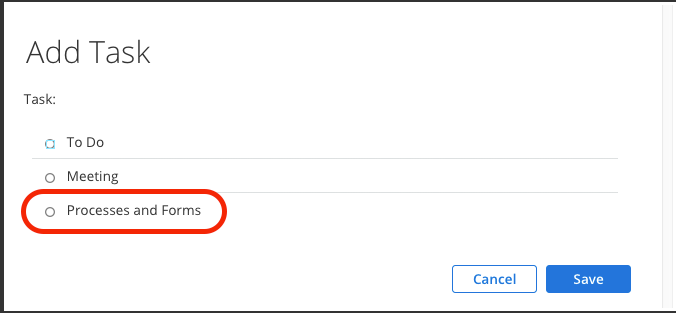
Next click the "Processes and Forms" bubble
My Staff > Staff > Evaluation Tab
Search for the user that you wish to add a form to.
Click "View" next to their name, it should open their task view.
On this page click the "Add Tasks" button
Next click the "Processes and Forms" bubble
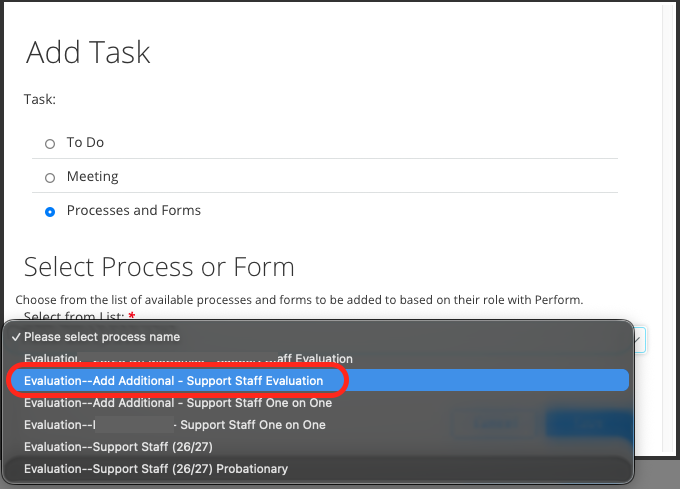
Then, under the "Select from List" dropdown, select "Evaluation--Add Additional - Support Staff Evaluation"
And then select Save.
After you complete these steps you will be able to see the additional evaluation appear on the task view.
And then select Save.
After you complete these steps you will be able to see the additional evaluation appear on the task view.