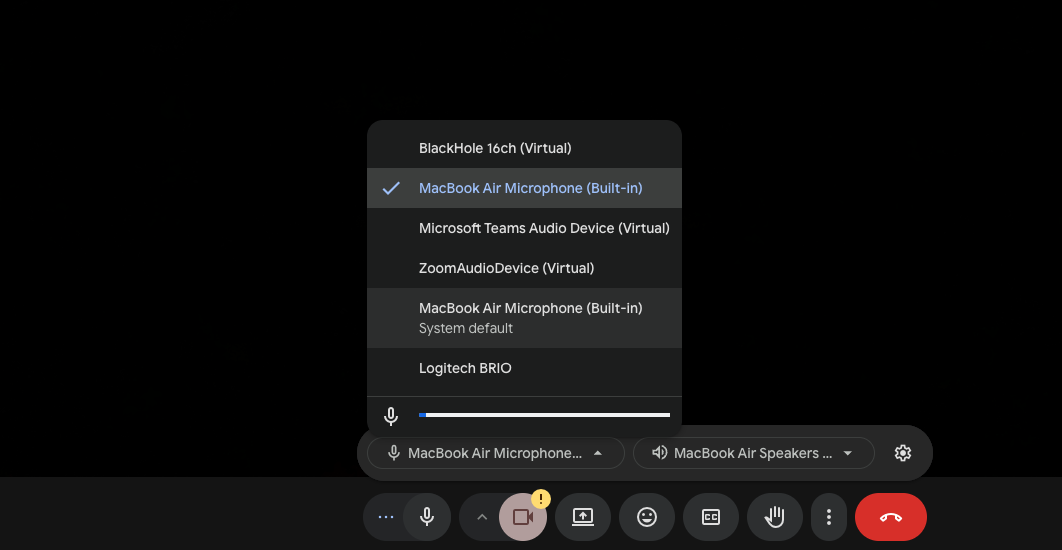
Your Microphone Isn’t working: Checklist
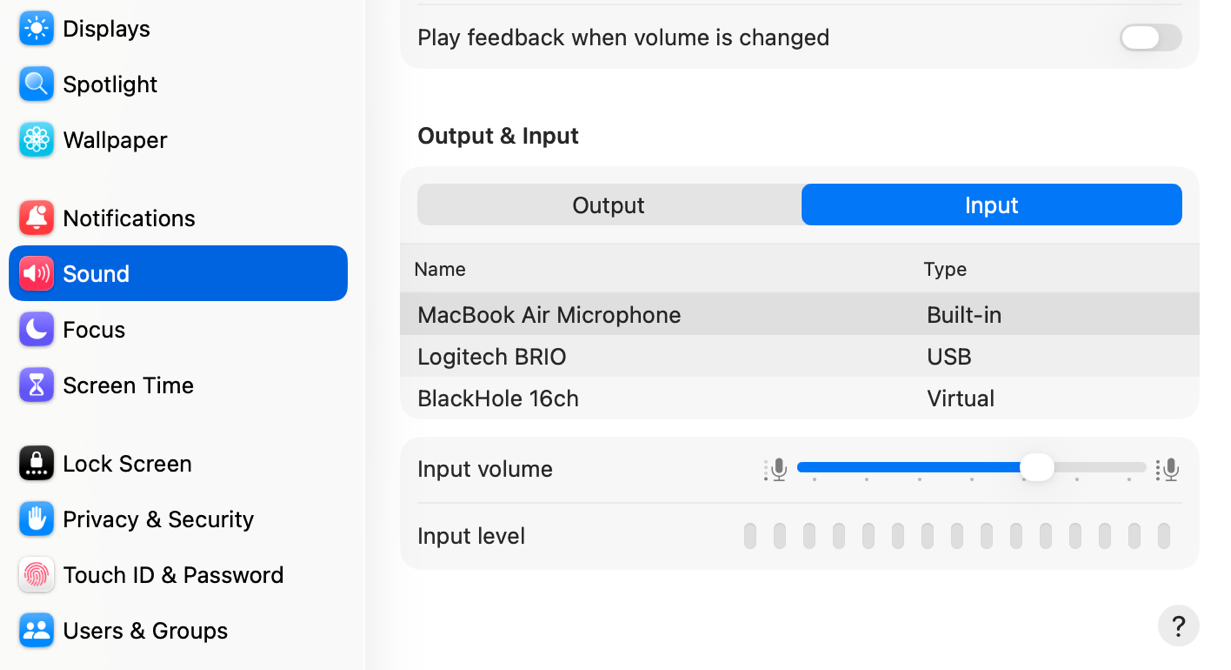
- Checking your computer’s system settings.
- Open up the system settings app.
- Scroll down to the sound tab.
- Make sure MacBook Air Microphone is selected on the input side.
- Check the audio settings on google meet / zoom
- While in an active call or waiting room check the selected audio devices by clicking the 3 dots next to the microphone button.
- Select MacBook Air Microphone.